How to Host a Professional Interview Outside Your Home
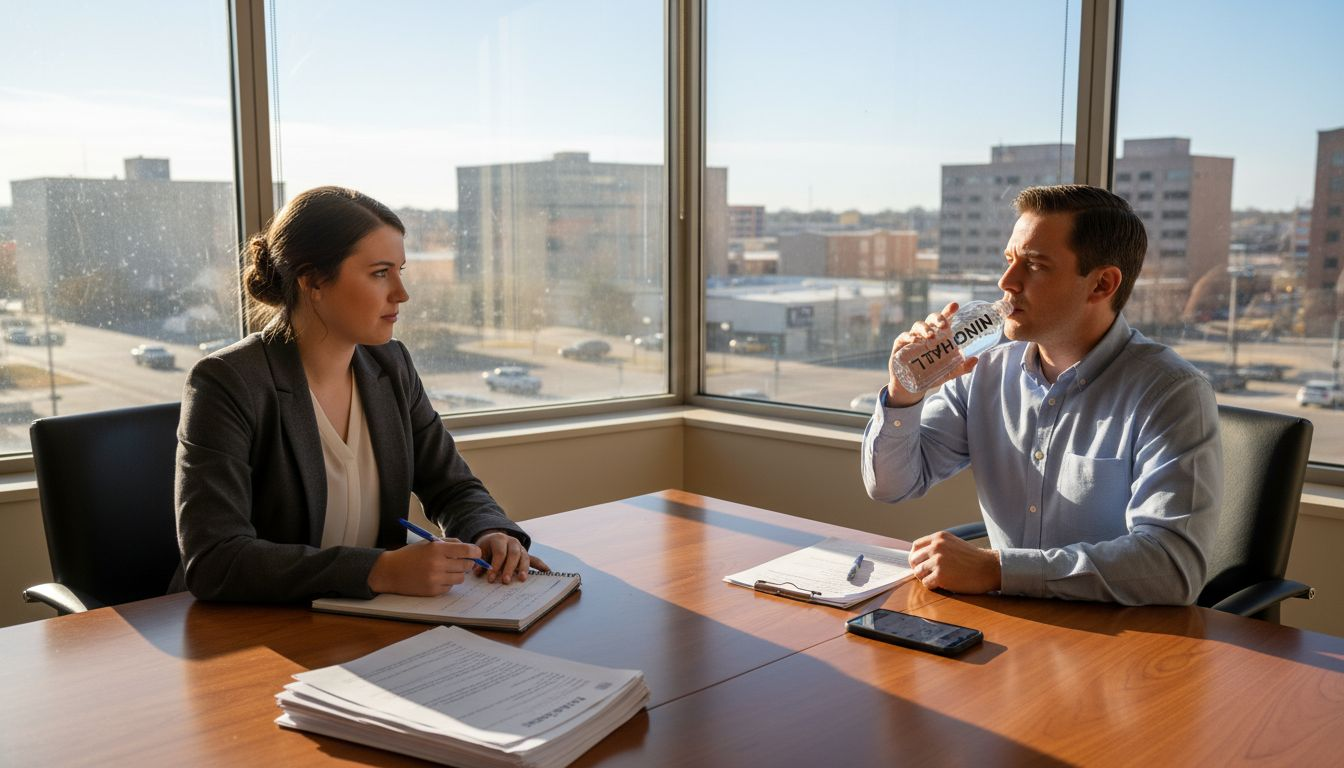
Hosting interviews from your Amarillo home can feel limiting when distractions and casual settings threaten your professionalism. Freelancers and remote professionals need an environment that reflects their dedication and expertise. Choosing a quiet, neutral interview meeting room and preparing technology beforehand transforms your approach, helping you present a polished image and conduct smooth interviews that impress clients and candidates alike.
Quick Summary
| Key Point | Explanation |
|---|---|
| 1. Choose a Professional Environment | Select meeting rooms that support quietness and professionalism to enhance your credibility before the interview begins. |
| 2. Set Up for Distraction-Free Interaction | Arrange seating and layout to promote open communication while utilizing clean backgrounds and adequate lighting for a focused conversation. |
| 3. Ensure Technology is Ready | Thoroughly test devices, internet, and necessary software to eliminate disruptions during the interview for a seamless experience. |
| 4. Conduct Technical Checks | Perform a comprehensive technology test on audio, video, and connectivity to ensure everything functions perfectly, simulating the actual interview setting. |
| 5. Create a Welcoming Atmosphere | Greet guests warmly and set a positive tone with proper body language and active listening to foster a comfortable conversation. |
Step 1: Select a Professional Interview Meeting Room
Selecting the right meeting room is crucial when hosting a professional interview outside your home. Your chosen environment communicates volumes about your professionalism and attention to detail before a single word is spoken.
When searching for an ideal interview meeting room, prioritize spaces that offer quiet, neutral environments designed specifically for professional interactions. Professional workspace centers like Union Hall offer meeting rooms that eliminate common home-based interview challenges.
Consider these key factors when selecting your interview meeting room:
- Noise level: Choose a space guaranteed to minimize background interruptions
- Technical readiness: Ensure the room supports both in-person and virtual interview formats
- Professional appearance: Select rooms with clean, neutral decor that doesn't distract from your conversation
- Privacy: Confirm the room offers complete confidentiality for sensitive discussions
A professional meeting room transforms your interview from casual to credible.
Location matters significantly. Aim for meeting rooms in business districts or professional coworking spaces that signal competence and reliability. Union Hall's meeting rooms, for instance, provide a polished environment that instantly elevates your professional presentation.
Here's a concise overview of interview room choices and their business impact:
| Room Type | Professional Appearance | Privacy Level | Typical Cost | Suitable Use Cases |
|---|---|---|---|---|
| Coworking Space | Polished and modern | High | Moderate | Startup, small business |
| Business District | Corporate and formal | Very high | High | Executive, client-facing |
| Home Office | Casual and personal | Low | Low | Informal, remote interviews |
| Hotel Conference Room | Formal and flexible | High | High | Temporary, large-scale |
Pro tip: Always test the room's technology and acoustics at least 15 minutes before your scheduled interview to prevent last-minute technical surprises.
Step 2: Arrange the Room for a Neutral, Distraction-Free Setup
Preparing the interview meeting room requires strategic planning to create a professional environment that supports seamless communication and minimizes potential distractions. Your goal is to design a space that allows both you and the interviewee to focus entirely on the conversation.
Begin by considering room layout configurations that promote professional interaction. A neutral setup typically involves:
- Seating placement: Position chairs at a comfortable distance that allows direct eye contact
- Table orientation: Use a simple table or desk arrangement that doesn't create unnecessary barriers
- Background design: Choose plain walls or minimal decor that won't draw attention away from the conversation
- Lighting: Ensure soft, natural lighting that creates a welcoming but professional atmosphere
A well-arranged room speaks volumes about your professionalism before a single word is spoken.
Technical preparation is equally important. Check all equipment in advance - ensure working outlets, stable internet connection, and any necessary technology like video conferencing tools are fully functional and easily accessible.
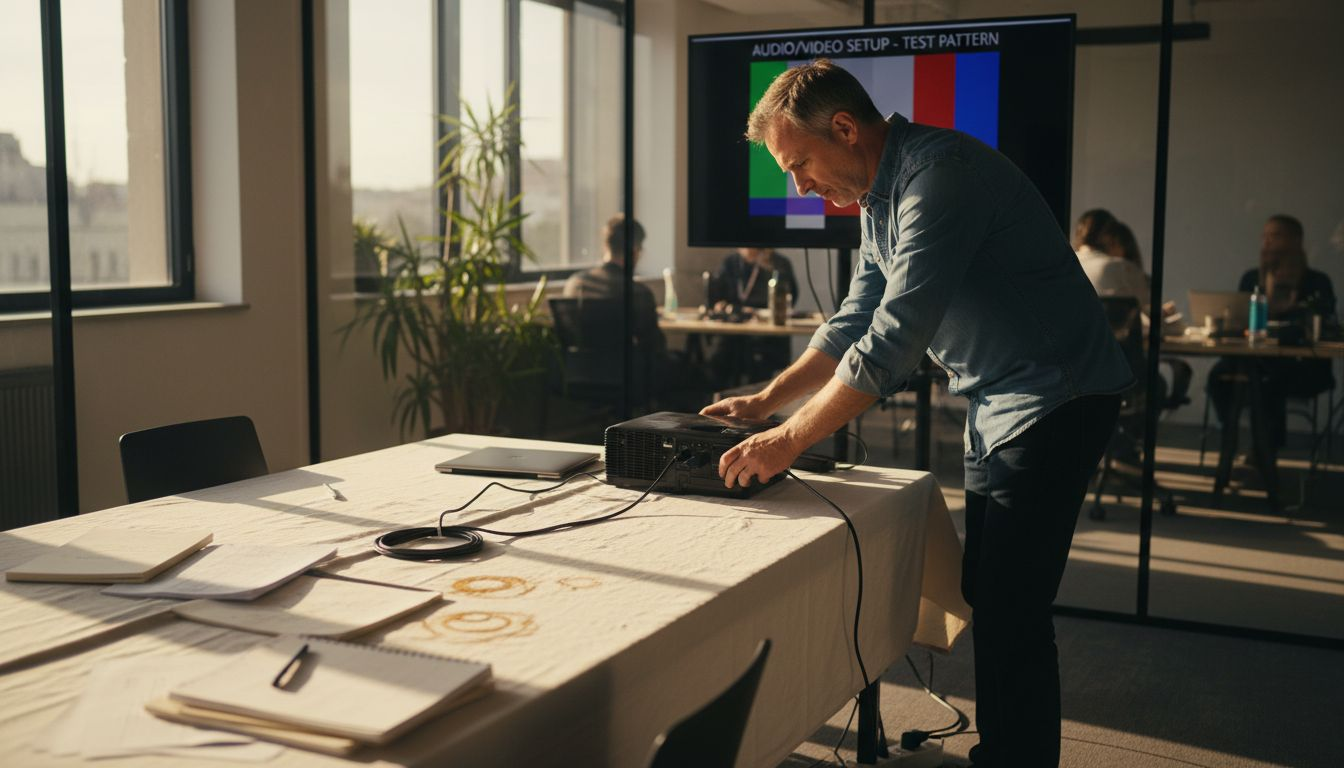
Pro tip: Position yourself near the room's exit to subtly control the interview's flow and provide a clear, comfortable pathway for your interviewee.
Step 3: Prepare Technology and Essential Materials
Successfully hosting a professional interview requires meticulous preparation of both technological tools and critical documentation. Your goal is to create a seamless experience that demonstrates your organizational skills and professional competence.
Start by preparing your virtual interview technology with careful attention to detail. This means checking and organizing your essential materials:
- Device preparation: Fully charge laptops, smartphones, and ensure backup power sources
- Connection testing: Verify stable internet connection and have a mobile hotspot as backup
- Software readiness: Test video conferencing platforms in advance
- Document organization: Print multiple copies of your resume and have digital versions easily accessible
Technology should enhance your interview, not become a distraction.
Backup strategies are crucial. Have physical and digital copies of all important documents, including references, work samples, and personal identification. Consider creating a dedicated interview folder - either digital or physical - that contains everything you might need during the conversation.
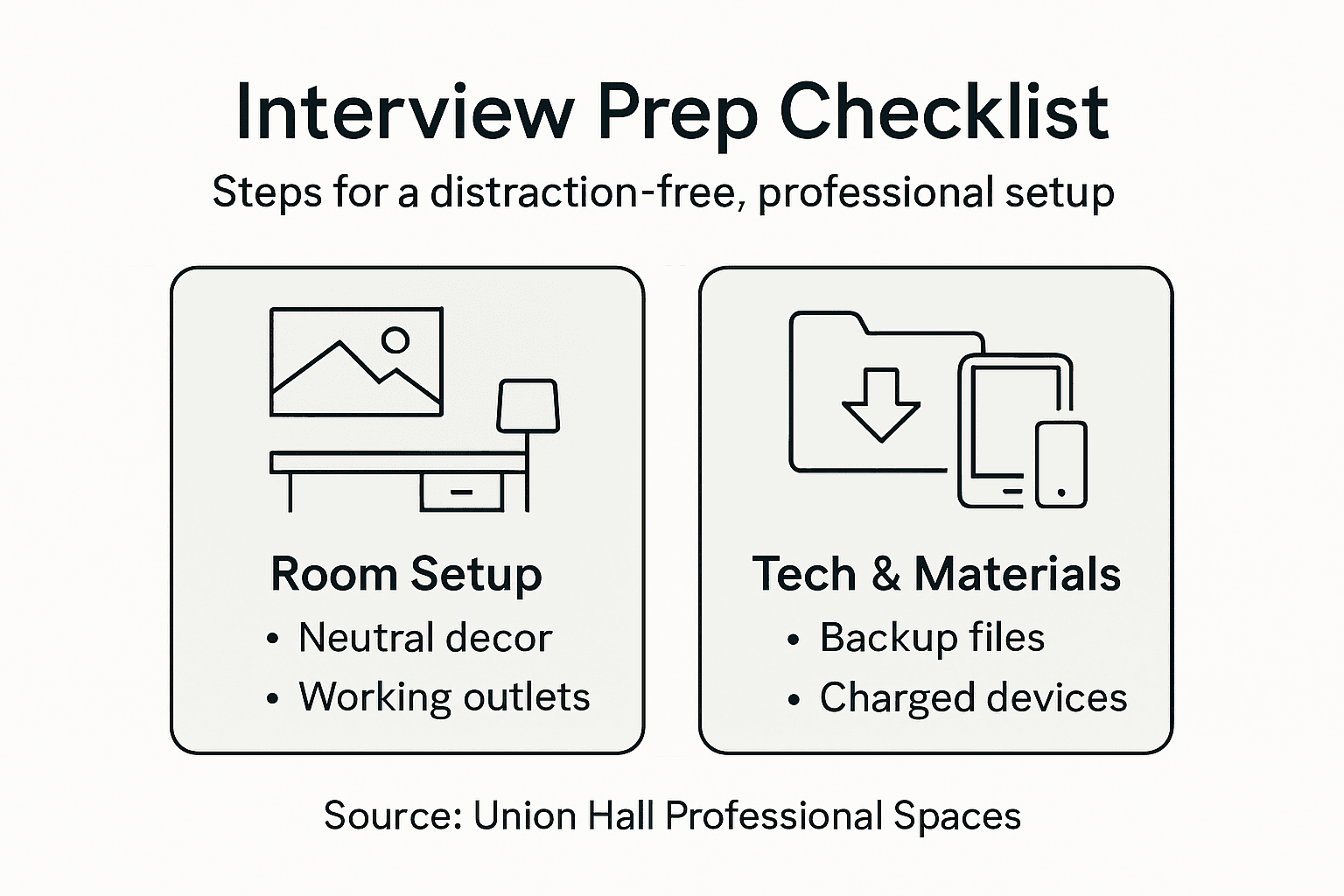
Pro tip: Create a dedicated email folder and digital document backup specifically for interview materials to ensure quick, stress-free access during important conversations.
Compare key aspects of technical preparation for interviews:
| Preparation Area | Benefit Provided | Risk if Ignored | Best Practice |
|---|---|---|---|
| Device Readiness | Prevents power failures | Disruptions mid-interview | Charge and test devices |
| Internet Stability | Ensures consistent access | Dropped calls, lag | Use backup hotspot |
| Software Setup | Smooth virtual operation | Login issues, delays | Test platforms early |
| Document Organization | Immediate access to materials | Wasted time searching | Use dedicated folders |
Step 4: Test Audio, Video, and Connectivity
Technology can make or break a professional interview, making comprehensive testing an absolute necessity. Your objective is to ensure a flawless technical experience that allows your professional skills to shine without any digital distractions.
Begin by conducting a thorough technology trial that covers every potential technical aspect:
- Audio quality: Test microphone volume and clarity using headphones
- Video setup: Check camera positioning, lighting, and background
- Internet stability: Run a speed test and verify consistent connection
- Software functionality: Preview all features of your video conferencing platform
A seamless technical experience communicates professionalism before you speak a single word.
Connectivity verification involves more than just a quick check. Simulate your actual interview environment by testing from the exact location you'll use, accounting for potential WiFi variations or unexpected technical challenges. Have backup communication methods ready - like a phone number or alternative video platform - in case of unexpected disruptions.
Pro tip: Conduct a full technical rehearsal with a friend or colleague to get honest feedback about your audio, video, and overall digital presentation.
Step 5: Welcome Guests and Conduct the Interview
The moment of your interview is crucial - your initial interaction sets the entire tone for the professional conversation that follows. Mastering the art of welcoming and conducting an interview requires clear communication and calm professionalism.
Begin by implementing professional interview techniques that create a comfortable atmosphere:
- First impressions: Stand and offer a confident, warm greeting
- Introduction protocol: Clearly state your name and role
- Body language: Maintain open, welcoming posture
- Initial conversation: Offer a brief, friendly introduction to the interview process
Professionalism is communicated through every subtle interaction, not just words.
Active listening becomes your most powerful tool during the interview. Pay attention to verbal and non-verbal cues, ask thoughtful follow-up questions, and create space for the candidate to share their full story. Remember that an interview is a two-way conversation, not an interrogation.
Pro tip: Prepare a glass of water for your guest and yourself to create a comfortable environment and provide a natural pause mechanism during the conversation.
Elevate Your Interview Experience with Union Hall
Hosting a professional interview outside your home means overcoming common challenges like noisy environments, distracting backgrounds, and unreliable technology. This article highlights the importance of selecting a quiet, neutral meeting room with tested tech to ensure your interview is seamless and reflects your professionalism. If you want to avoid the pitfalls of home setups and impress candidates or clients alike, having the right space and tools is essential.
Union Hall offers meeting rooms designed specifically to provide distraction-free, private environments equipped with enterprise-grade WiFi and all the technology you need. Whether you need a private office or a flexible workspace, our 24/7 coworking space in Amarillo removes logistical headaches so you can focus on what matters most.
If you want to walk through the space before you schedule an interview:
👉 Schedule a tour of Union Hall
Frequently Asked Questions
How do I choose the right meeting room for a professional interview?
Selecting the right meeting room involves prioritizing quiet, neutral environments specifically designed for professional interactions. Evaluate the room's noise level, technical readiness, professional appearance, and privacy to ensure a conducive atmosphere for your interview.
What layout should I use for a distraction-free interview setup?
For a distraction-free interview setup, arrange seating to promote direct eye contact, use a simple table arrangement, and ensure minimal background decor. This encourages open communication and allows both parties to focus on the conversation without distractions.
What technology should I prepare in advance for a professional interview?
Prepare your technology by ensuring devices are fully charged, testing internet connection, and checking software for video conferencing. Organize your essential documents, such as resumes and references, in a dedicated folder, either digital or physical, to ensure quick access during the interview.
How can I test audio and video quality before the interview?
Test audio and video quality by conducting a thorough trial that includes checking microphone volume, camera positioning, and lighting. Simulate the actual interview environment and run a speed test for your internet connection to identify any potential issues ahead of time.
What should I do to create a welcoming atmosphere when the interview begins?
To create a welcoming atmosphere, stand to greet the interviewee with a warm smile and offer a confident introduction of yourself. Maintain an open posture and facilitate an initial friendly conversation to set a positive tone for the interview.
How can I ensure effective communication during the interview?
Ensure effective communication by actively listening to your interviewee and paying attention to both verbal and non-verbal cues. Ask thoughtful follow-up questions and allow for a two-way conversation to foster a comfortable dialogue.
Recommended
- What Is Professional Coworking and Why It Matters — Union Hall Workspace
- coworking for freelancers in Amarillo
- Why remote workers prefer physical meeting spaces for client interactions — Union Hall Workspace
- 7 Best Virtual Team Building Activities Free for Teams - Blog
- How to Book a Venue for an Event: A Corporate Guide | Jigsaw Conferences
Work from Union Hall Workspace in Amarillo
Coworking from $99/mo, dedicated desks $200/mo, and private offices from $400/mo. 24/7 access, month-to-month, no lease. See it in person with a free tour, or join online today.
Join or Book a Tour Compare Memberships